
You can create a TTT account using:
Google account
Telegram account
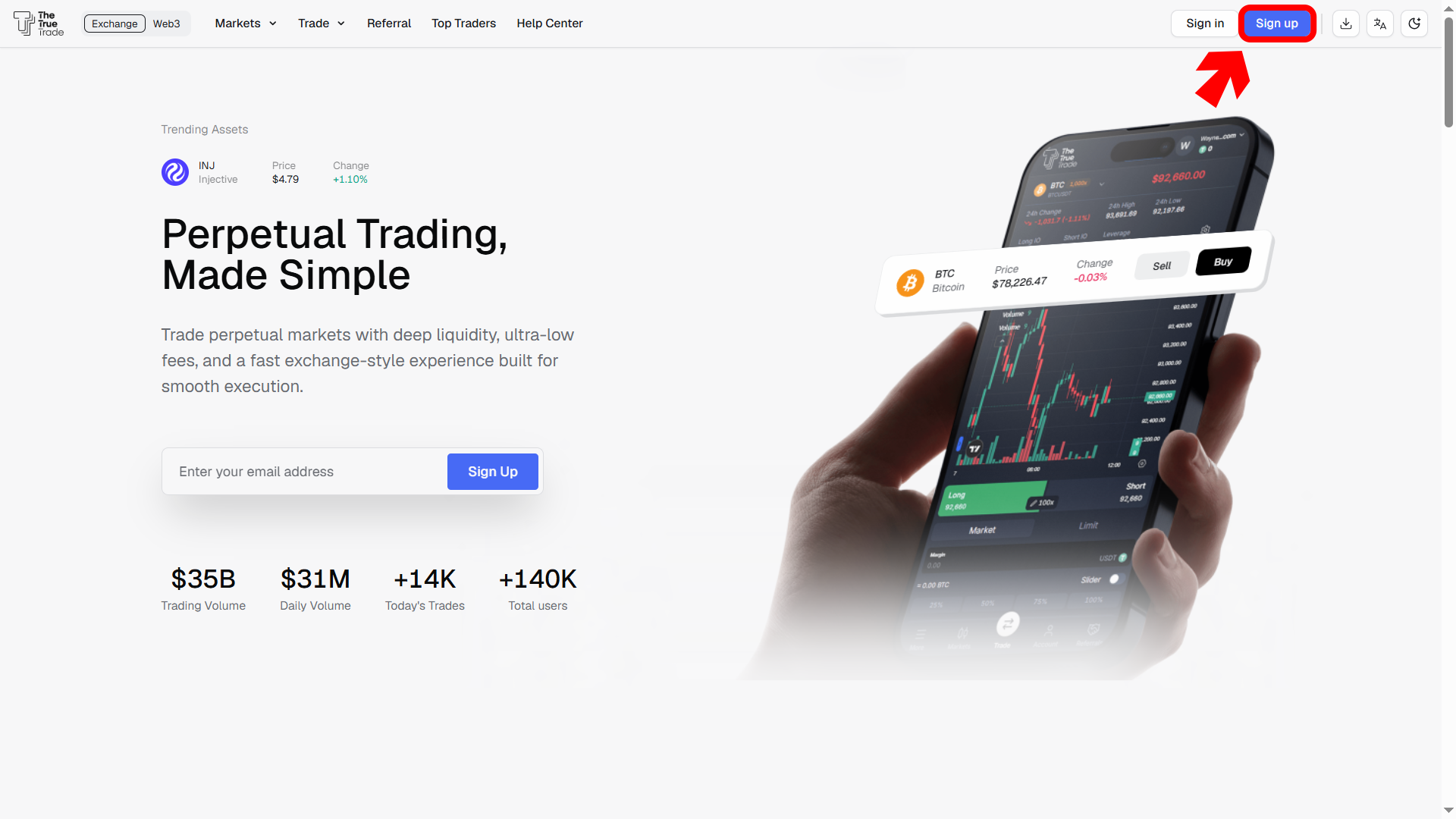
To get started, go to the TTT homepage and tap the Sign Up button at the top-right corner of the page.
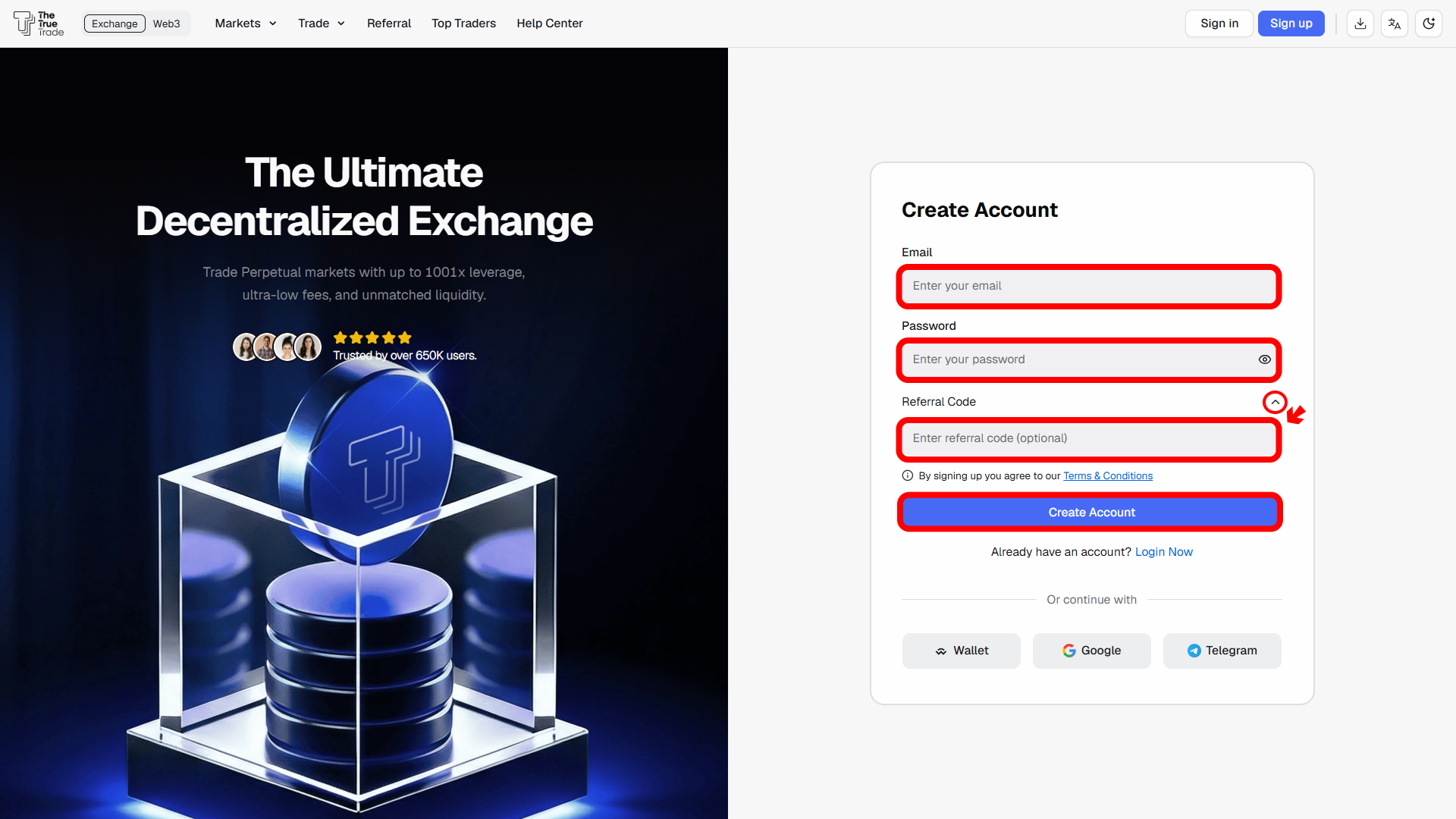
Enter your email address in the email box.
Enter your password in the password box below.
Your password must contain at least 10 characters.
If you have a referral code, tap the ^ button to expand the referral section.
Enter your referral code (optional).
Tap Create Account.
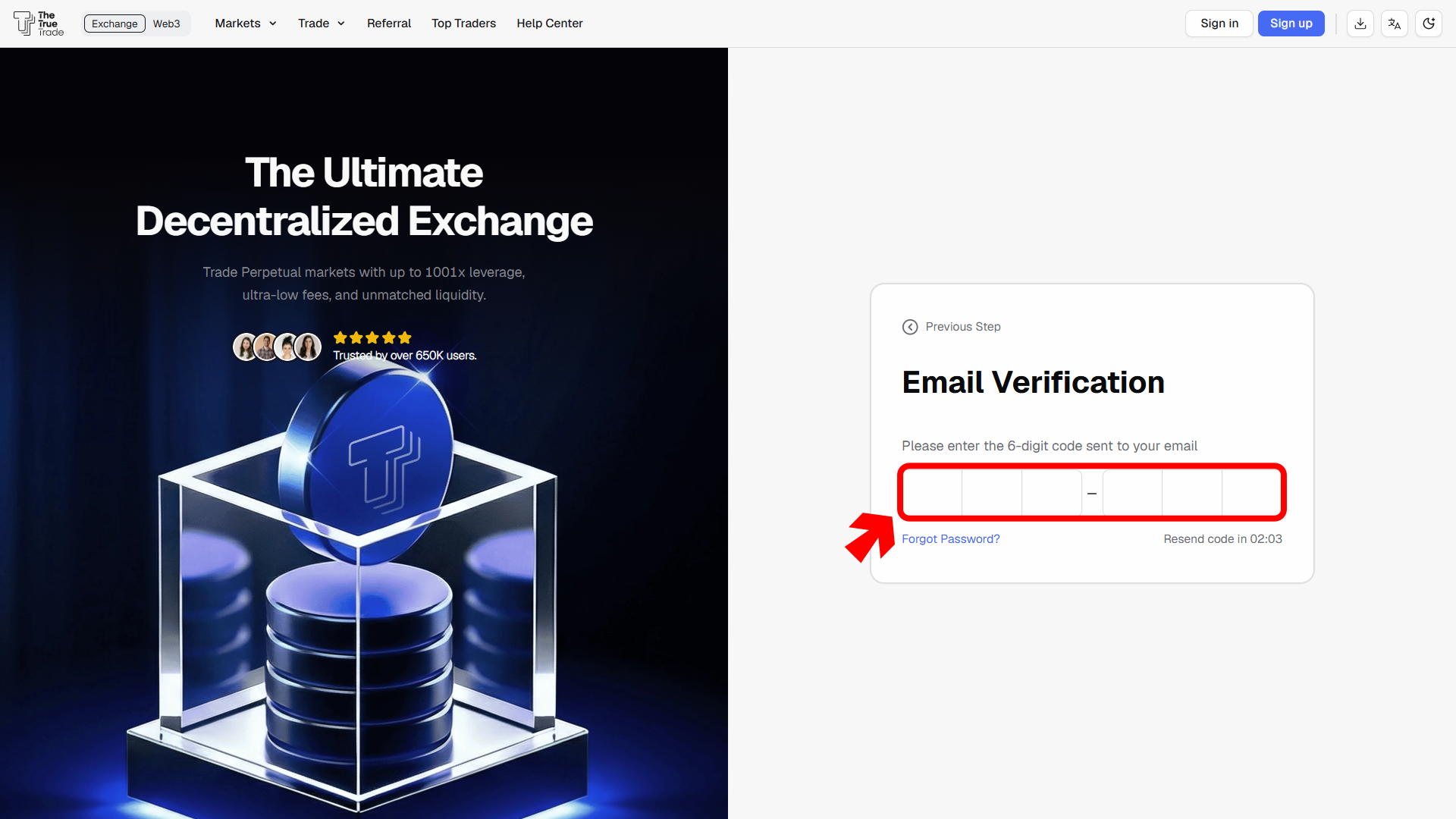
6. Enter the 6-digit verification code sent to your email address.
After successful verification, your account will be created.
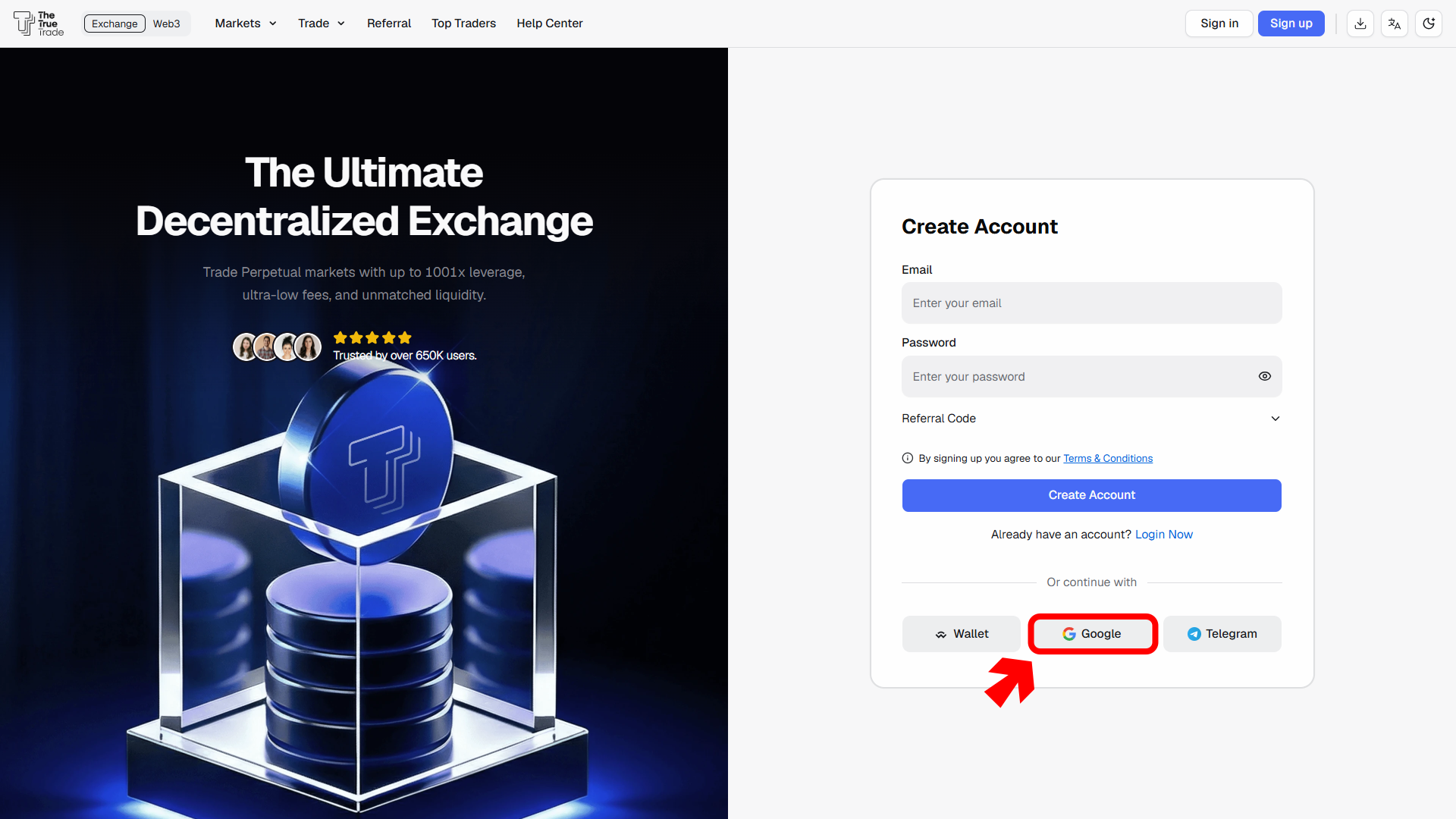
Tap the Google icon on the sign-up page.
2. Select your preferred Google account.
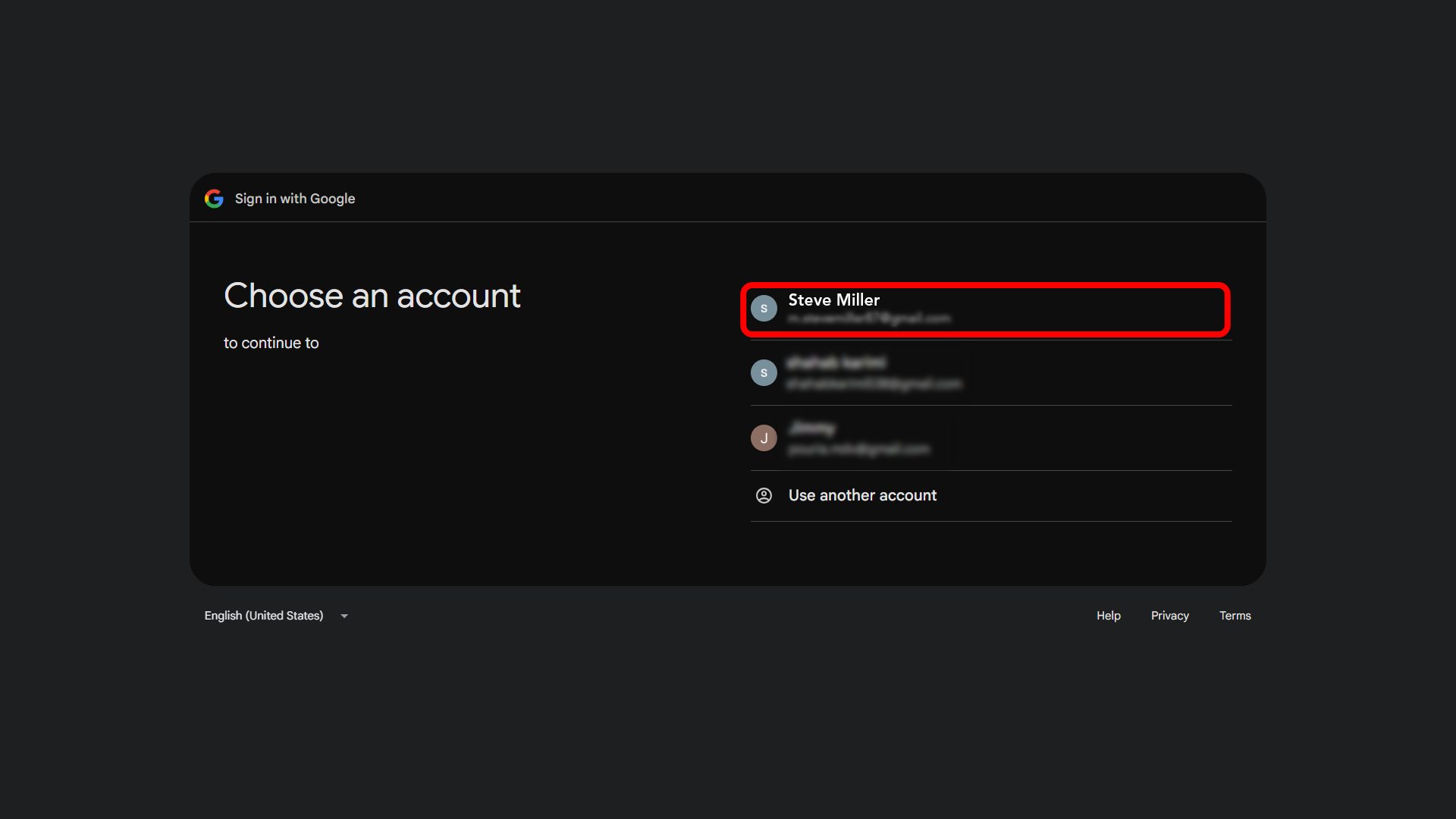
3. Review the authorization request(If prompted)
4. Tap Continue to allow Google sign-in access.
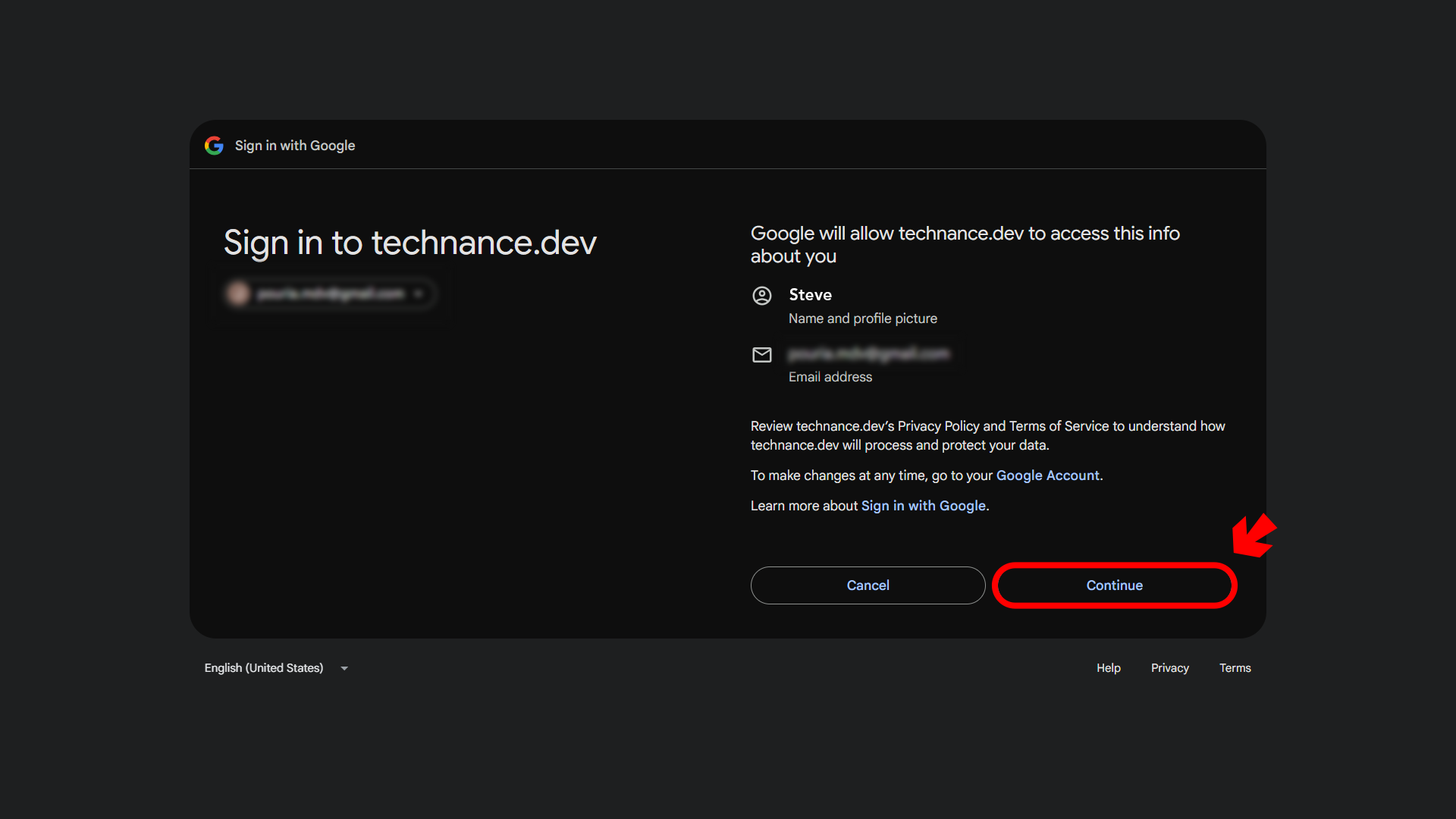
After authorization is completed, your TTT account will be created automatically.
Tap the Telegram icon on the sign-up page.
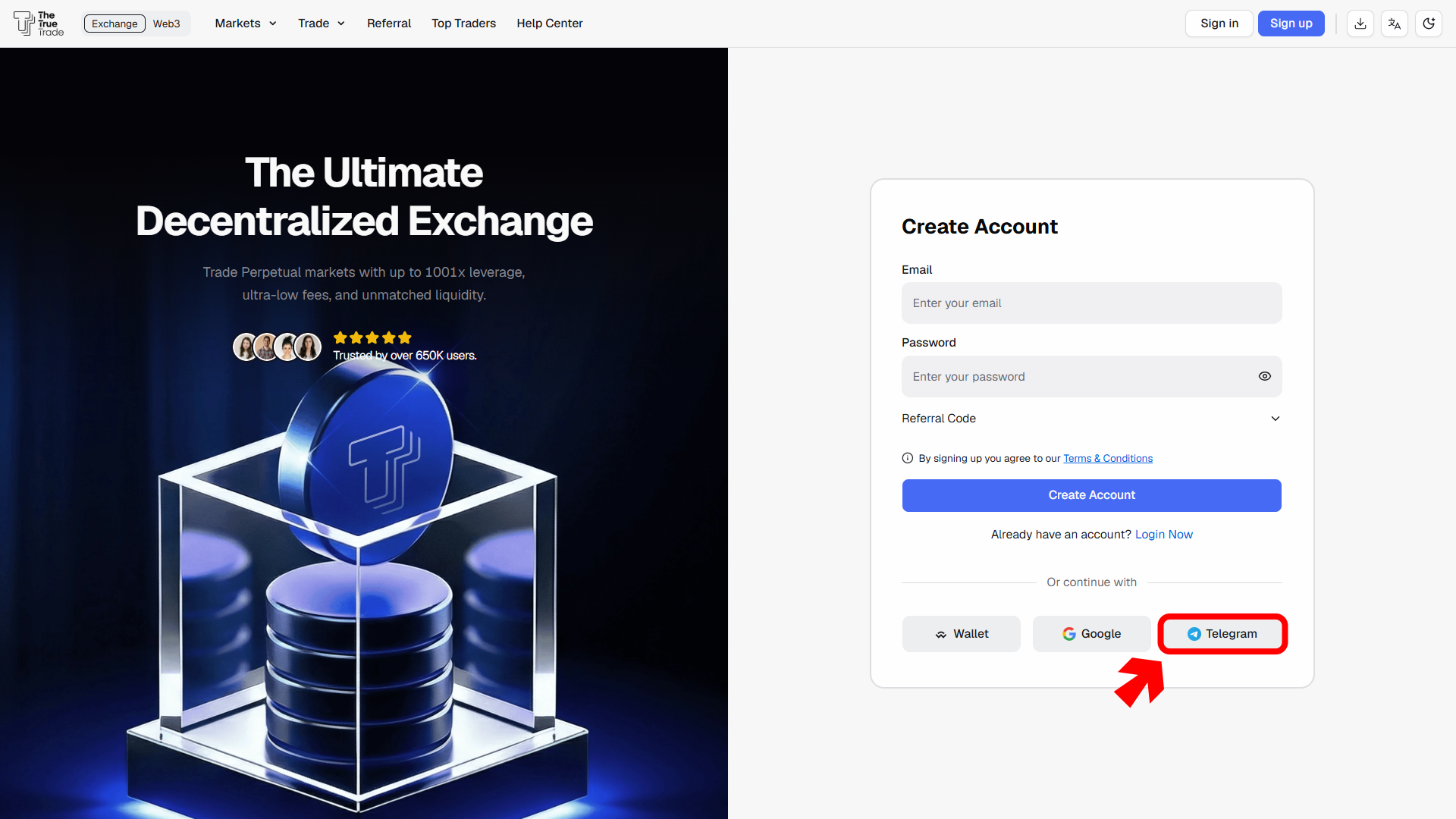
2. A Telegram authorization window will open.
3. Select your country code.
4. Enter the phone number connected to your Telegram account.
5. Tap Continue.
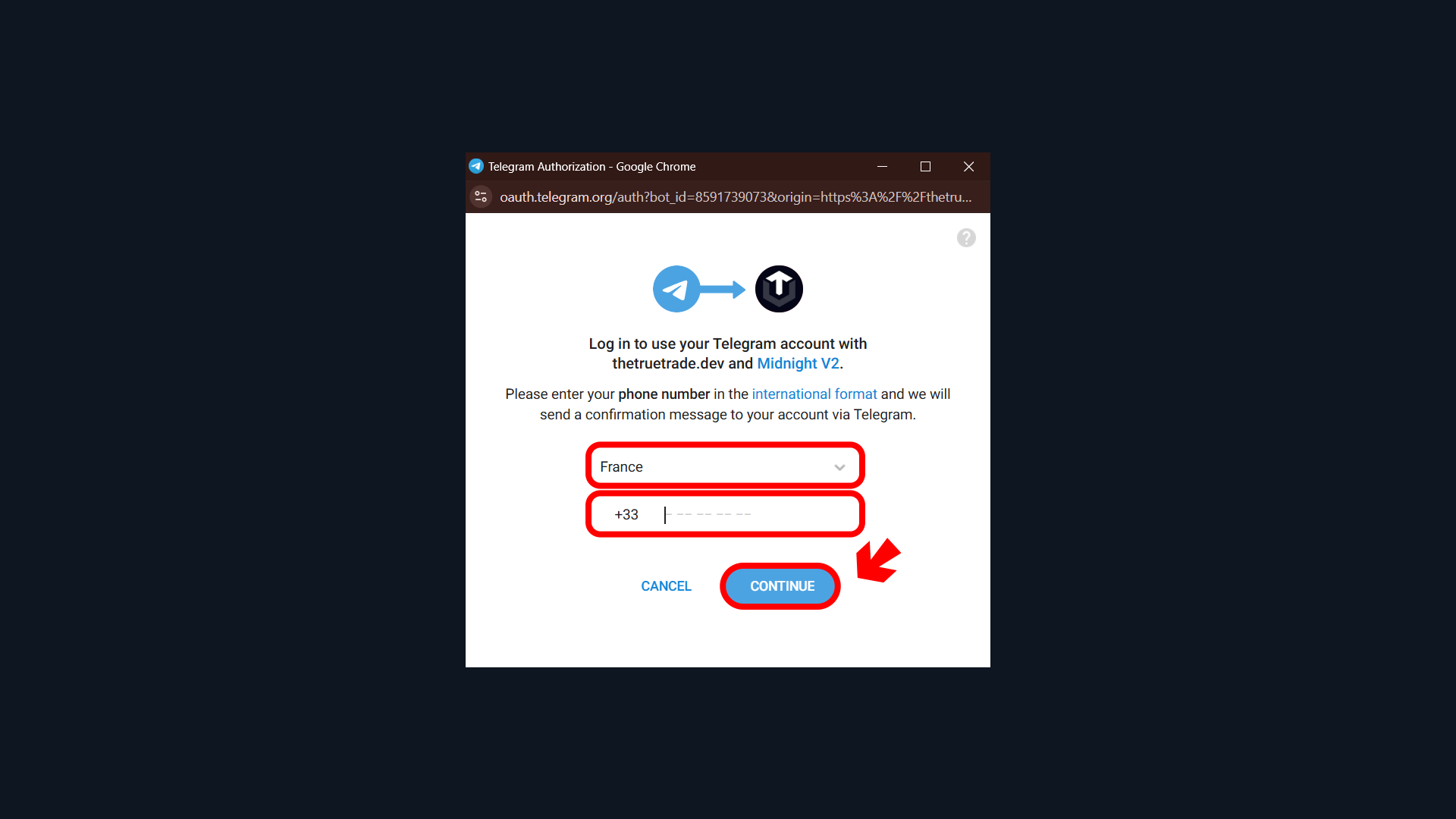
6. Telegram will send a confirmation request to your Telegram account.
7. Confirm the login request from Telegram.
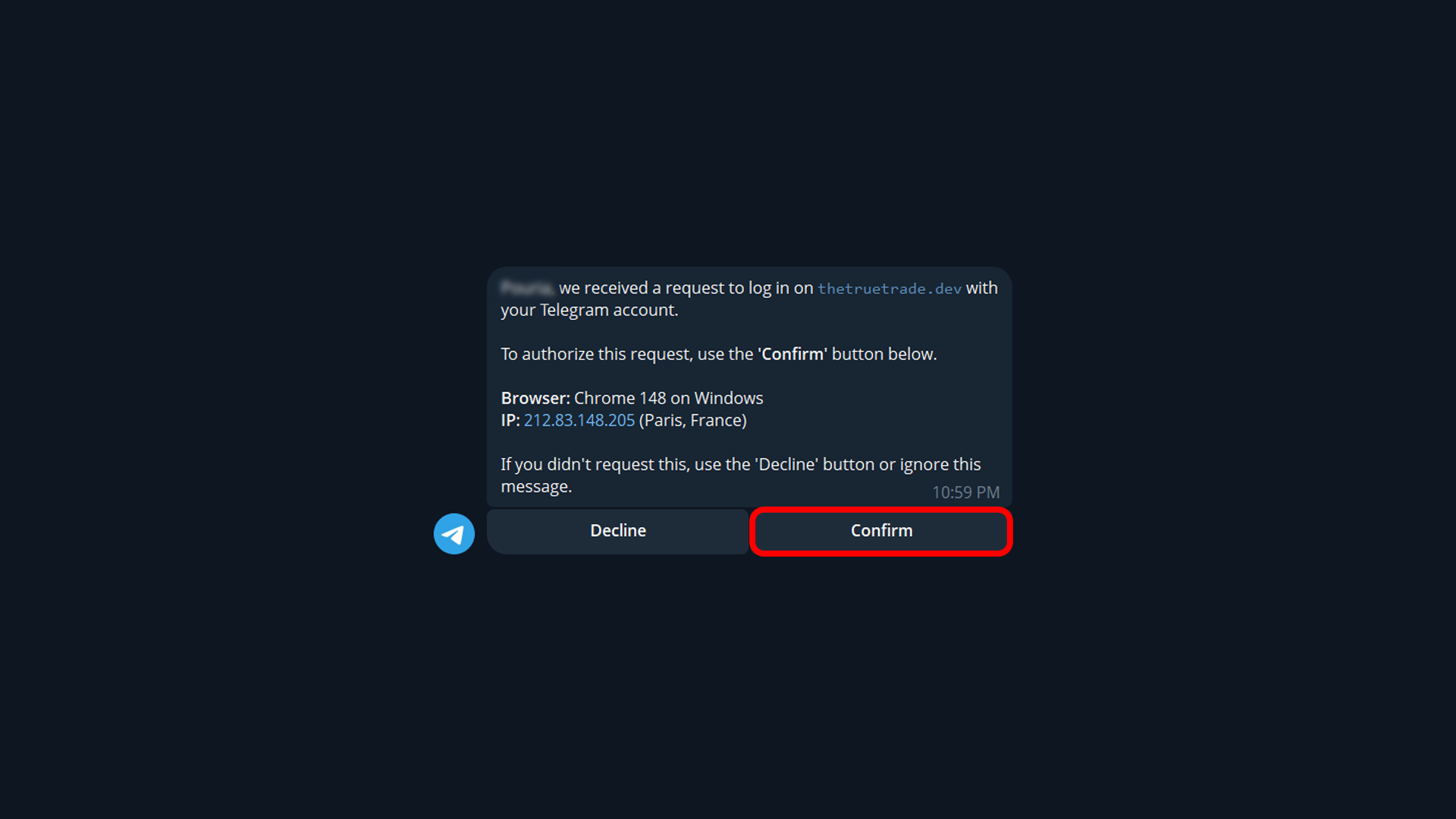
8. The Telegram authorization page will show the permissions requested by TTT.
9. Tap the Allow or Access button to continue.
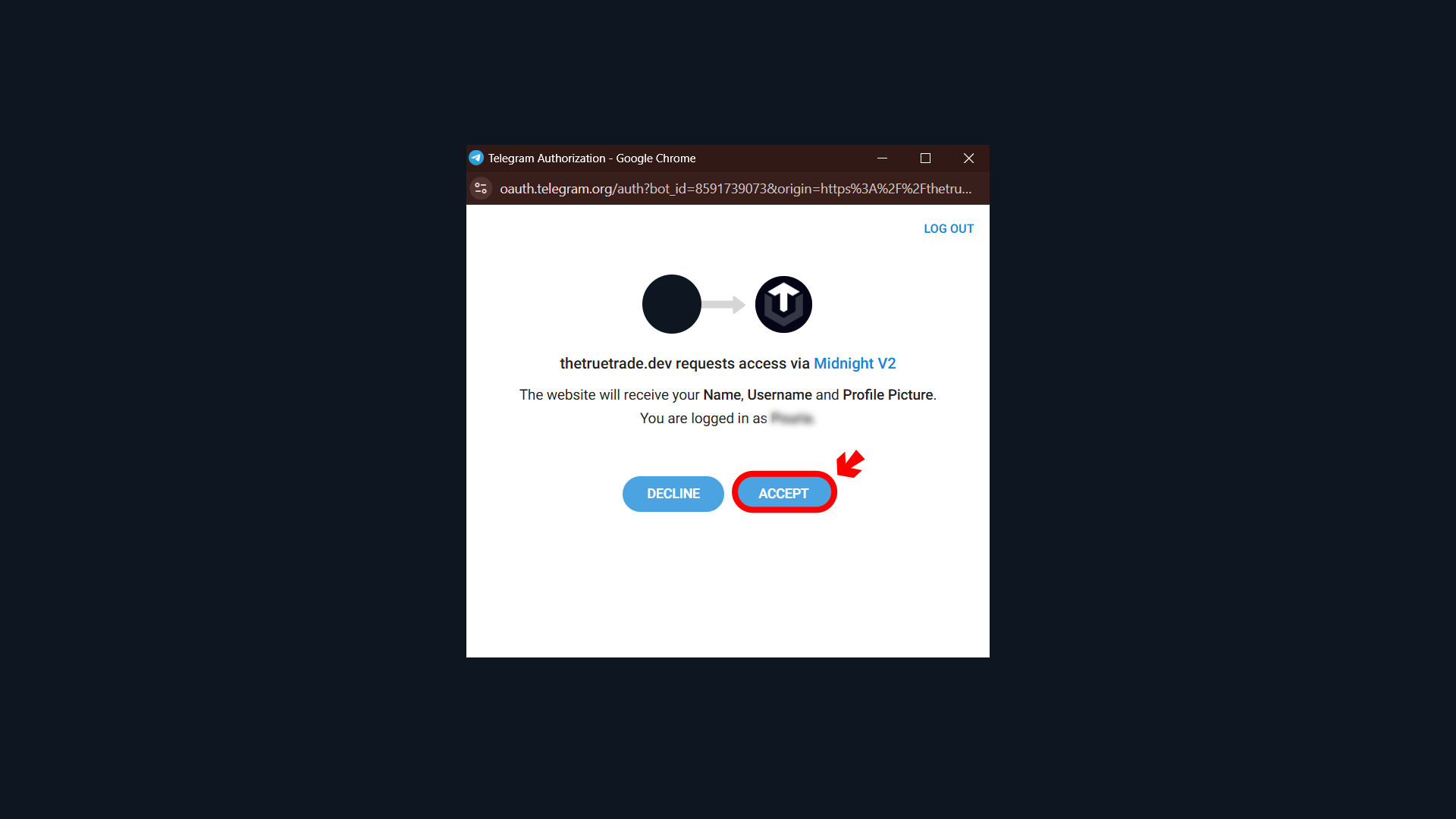
By approving the request, Telegram shares your basic account information, such as:
- Name
- Username
- Profile picture
This authorization is used to create and connect your TTT account securely through Telegram login. After authorization is completed, your TTT account will be created automatically.
Referral codes can only be entered during account registration.
Make sure your email address or Telegram account is accessible before signing up.


